How to Report a Problem to the City of Columbus: 6 Steps to Using Columbus 311
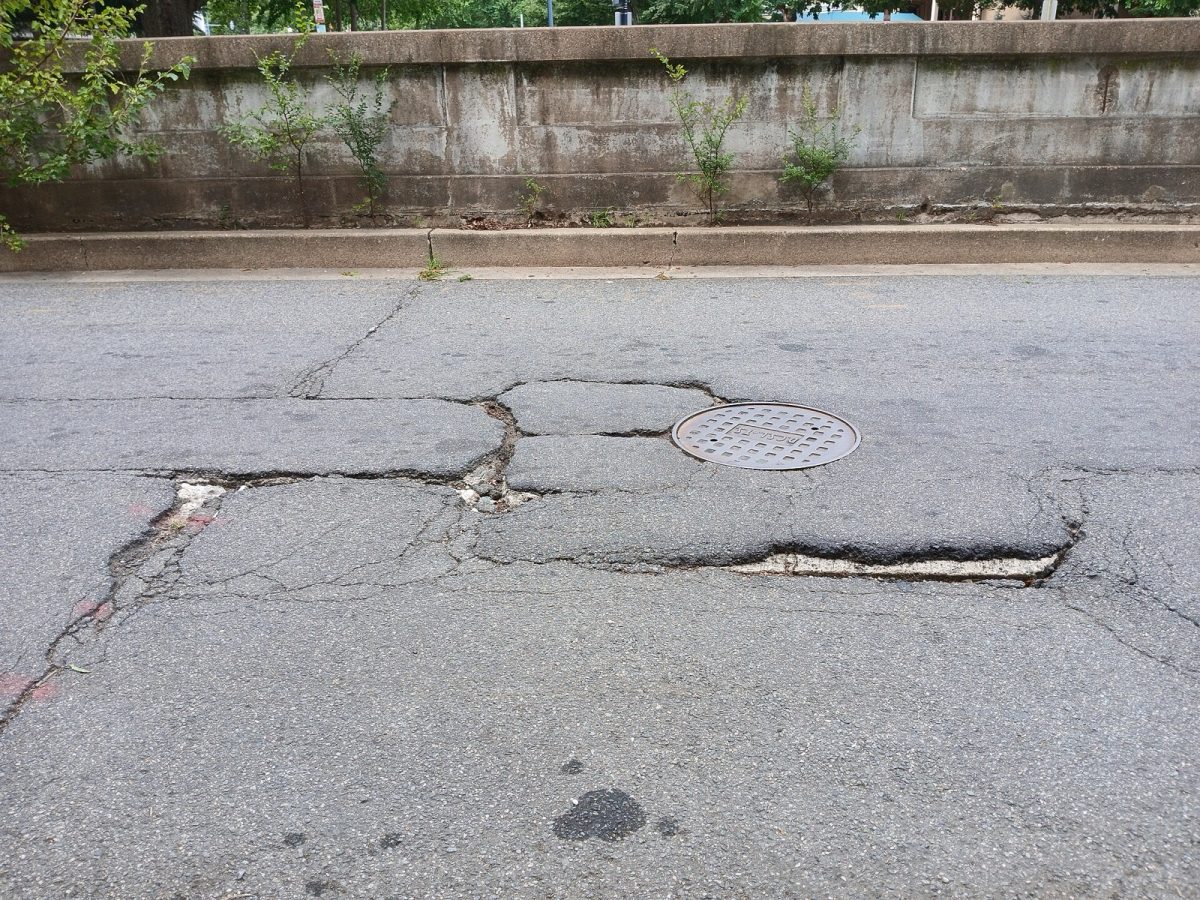
A pothole in a city street (file photo, Washington, D.C.). Photo: Ser Amantio di Nicolao / Wikimedia Commons (CC BY-SA 4.0)
COLUMBUS, Ga. - Columbus residents can report problems, request city services and ask questions by calling 311 or submitting a request online. The Columbus Consolidated Government operates a 311 Citizens Service Center that connects residents, business owners and visitors with local government services. The service also accepts complaints and suggestions, giving people one place to start when they need assistance from the city.
The city describes 311 as its one number for government information and non-emergency services. Residents can speak with a live operator during regular service hours or use an online Request for Service form to submit information about a problem. The online system also provides an option to track requests, making it possible to follow up after submitting a report. Here is how to use Columbus 311 in six steps, including what information to provide, how to attach photos and where to check on a request.
Step 1: Decide if Your Problem Belongs With 311
Start by determining if your concern involves a city service, a complaint, a question or a suggestion for local government. Columbus 311 accepts all four types of communication through its Citizens Service Center. The service is designed to help people reach local government without having to know exactly whom to contact.
The city offers a simple instruction for people who are uncertain where to begin: "When you are not sure who to call, Call 3-1-1 or 706-653-4000." That guidance applies to residents, business owners and visitors seeking government information or non-emergency services. Calling the service center is also an option when the correct destination for a complaint or request is unclear.
Columbus 311 is not an emergency service. Anyone facing an emergency should call 911 rather than submit a 311 request. The distinction matters because the city's 311 system is specifically intended for government information and non-emergency assistance.
Step 2: Call 311 or Open the Online Request Form
The most direct option is to dial 311 or call 706-653-4000. According to the Columbus Consolidated Government, live operators answer 311 calls Monday through Friday, from 7 a.m. to 5 p.m. People who want to explain a situation directly or ask which service to use can begin with a phone call.
Residents who prefer to submit a request online can visit the city's 311 online portal. From there, the "Submit Request" link opens the city's Request for Service form. The direct address for that form is columbusga.qscend.com/311/request/add.
The city also offers a Columbus 311 app for people who want another way to access the service. Its 311 website includes a how-to video explaining the app. Residents can find information about the service, the app and other available resources through the 311 Citizens Service Center webpage.
Step 3: Describe the Problem and Identify Its Location
The online Request for Service form includes sections labeled Details, Location, Contact Info, Type of Issue, Comments, and Add Photos or Files. These sections organize the information submitted to the city. Completing the relevant parts of the form helps communicate the nature and location of a concern.
The Location section provides several ways to identify where the problem exists. Users can drop a pin on a map, click the map or enter latitude and longitude. These options allow a request to include geographic information directly in the submission.
Columbus Times advice: Have the exact address or nearest intersection ready before starting the form or making a phone call. Describe the problem in plain language and focus on the specific concern you want the city to address. Providing a clear location and explanation can make the report easier to understand.
The form's Details and Comments sections offer places to explain the concern. Residents should use those fields to communicate the information relevant to their request. The goal is to give the city an understandable description rather than an unnecessarily complicated explanation.
Step 4: Choose the Type of Issue and Attach Supporting Information
The online form includes a "Type of Issue" field with a search-or-select list. Users can search the available choices or select an option from the list. This step identifies the type of concern being submitted through the service portal.
People who are uncertain about the appropriate choice can call 311 for guidance. The city's message about calling when someone does not know whom to contact applies to that situation. Columbus Times advice: Rather than guessing about an unfamiliar option, explain the problem to a live operator and ask for direction.
The form also includes an "Add Photos or Files" section. This gives residents a way to include supporting material with their submission. The option is part of the same Request for Service form used to enter the details and location.
Columbus Times advice: Add a photo when one would help explain what you are reporting. Make sure the written description identifies the concern, even when supporting material is attached. A useful submission should make clear what the problem is and where it is located.
Step 5: Provide Contact Information and Submit the Request
The Request for Service form has a Contact Info section. Residents can enter their contact information as part of the online submission process. The form also provides an option to sign in or create an account to receive updates about a request.
According to the online portal, the form will remember what users have entered when they use the sign-in or account-creation option. This gives people another way to manage information associated with their request. Those who want updates should review the available account option while completing the form.
Before submitting, Columbus Times recommends checking the problem description, location and any photos or files included. A final review helps ensure that the information entered matches the concern being reported. After completing the form, residents can use the portal's tracking option to follow up on their request.
The Columbus Consolidated Government also lists [email protected] on its homepage. That address provides an additional published contact for citizen services. Residents who need help deciding how to proceed can also use the city's telephone numbers during live operator hours.
Step 6: Track the Request and Follow Up
The Columbus 311 online portal includes a "Track Request" option. Residents can use that feature to follow up on a request submitted through the city's service system. The option appears alongside the portal's request-submission resources.
Columbus Times advice: Keep the request number associated with a submission so it is available when checking its status. Save the information used to describe the concern as well. Having those details available can help when following up through the online portal or contacting the service center.
The city describes the mission of 311 as providing quality customer service and strengthening the relationship between residents and local government. Its mission also includes providing direct access to a call center that receives, relays, monitors and manages citizen requests. The stated goal is to provide complete, accurate and timely information about complaints, inquiries and requests.
The city's published information does not establish a single response time for every request. Residents should use the available tracking feature rather than assume when a reported concern will be resolved. The phone service remains another contact option for questions during its published operating hours.
Other Information Available Through Columbus 311
The Citizens Service Center website provides more than a way to submit complaints. It includes a City Resource Center, a holiday schedule and links to other government resources. Visitors can use the same website to find information beyond the standard request form.
Among the listed resources are Special Enforcement, the garbage pick-up schedule and Recorder's Court citations. The website also links to the tag office, council agendas and the CCG TV live stream. These connections make the 311 page a starting point for finding several kinds of city information.
Columbus also publishes monthly 311 statistics on its website. The available information includes monthly activity, month-by-month comparisons and recent requests organized by council district for the past 30 days. Residents interested in how the service is being used can review those published statistics.
Columbus 311: Numbers and Links to Keep Handy
The following contacts and resources come from the Columbus Consolidated Government's published information. Residents can use the telephone numbers for non-emergency questions and service requests or access the online system to submit and track concerns. The city also makes its operating hours and related resources available through its website.
| Service | Number or information |
|---|---|
| Columbus 311 | 311 |
| Alternate phone number | 706-653-4000 |
| Live operator hours | Monday-Friday, 7 a.m.-5 p.m. |
| Emergency number | 911 |
| Citizen services email | [email protected] |
| Main 311 website | columbusga.gov/311CitizenServices |
| Online 311 portal | columbusga.qscend.com/311 |
| Submit a service request | Online request form |
| Request tracking | "Track Request" option on the 311 portal |
| Mobile option | Columbus 311 app |
| Published request statistics | Monthly activity, month-by-month comparisons and council district requests from the past 30 days |
How We Did This
The Columbus Times prepared this guide using information published by the Columbus Consolidated Government on its 311 Citizens Service Center webpage and the city's online request portal. We reviewed the published service details, contact information, request form features and available resources as of Oct. 25, 2026, along with the citizen services email listed on the city homepage. Practical recommendations about preparing descriptions, including photos and keeping request numbers are identified as Columbus Times advice rather than official city requirements.
Source: Columbus Consolidated Government 311 Citizens Service Center; Columbus 311 online request portal

News organizations may republish this story with credit. See our guidelines.
Know someone who'd want to read this? Email it to a friend.
Own a Columbus business? 60,000+ page views a month. Ads from $125/month. See ad options Follow Columbus Times on FacebookLocal news, events and people, in your feed every day.Most read this week
- Georgia Spent $165.7 Million on Medicaid Work Requirement Program, but Only 18,527 Were Enrolled After 3 Years
- 8 Columbus Restaurants Got a C on Their Health Inspection in 2026, the Most of Any Year Since 2022. Here's Every One
- The Night Fight on the Chattahoochee: How Columbus Became the Site of What Many Call the Last Battle of the Civil War
- The 10 Best Mexican Restaurants in Columbus, Ga., Ranked by Diners
- Columbus' Top-Rated Barbecue: 12 BBQ Joints Ranked by Google Stars and Health Scores
More stories
 Local Eufaula Day Trip From Columbus: 47 Miles, 738 Historic Buildings, 2 House Museums and a 640-Mile Shoreline
 Local West Point Lake by the Numbers: 25,900 Acres, 525 Miles of Shoreline and 4 Corps Campgrounds Upriver From Columbus
 Local Fly From Columbus or Drive to Atlanta? $9-a-Day Parking, 1 Airline and What Each Trip Really Costs
 Local Uptown Columbus Parking in 2026: 5 Free Decks, the 2-Hour Broadway Rule and How to Avoid a Ticket
Comments
Be respectful. No personal attacks, hate speech, spam or anyone's private information. Every comment is reviewed before it appears. Comment rules
No comments yet. Be the first to share your thoughts.